Skip to content
Tekkabuzz FAQ
Login Sign up
Currency and Language
Bangladesh BANGLADESH
বাংলা ENGLISH
Pakistan PAKISTAN
اردو ENGLISH
Tekkabuzz FAQ
Log in Sign up

Currency and Language

Bangladesh BANGLADESH
বাংলা ENGLISH
Pakistan PAKISTAN
اردو ENGLISH

Hi. How can we help you?

How can I change my account password?

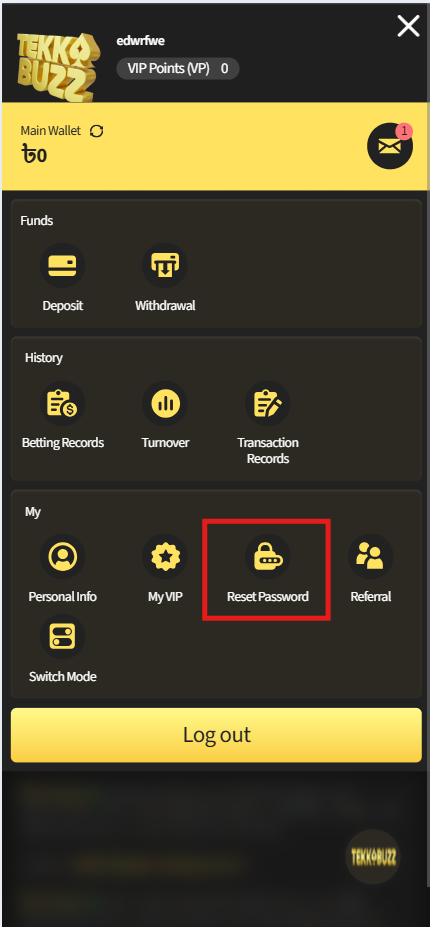
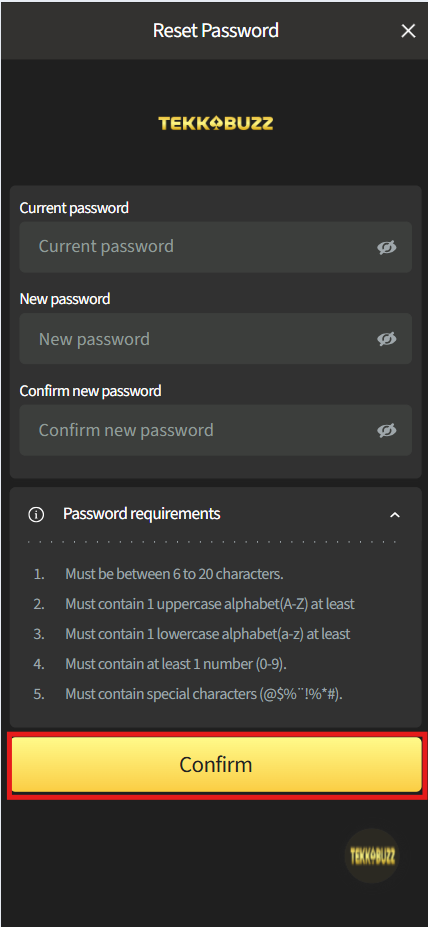
The steps below describe how to change a known password. 

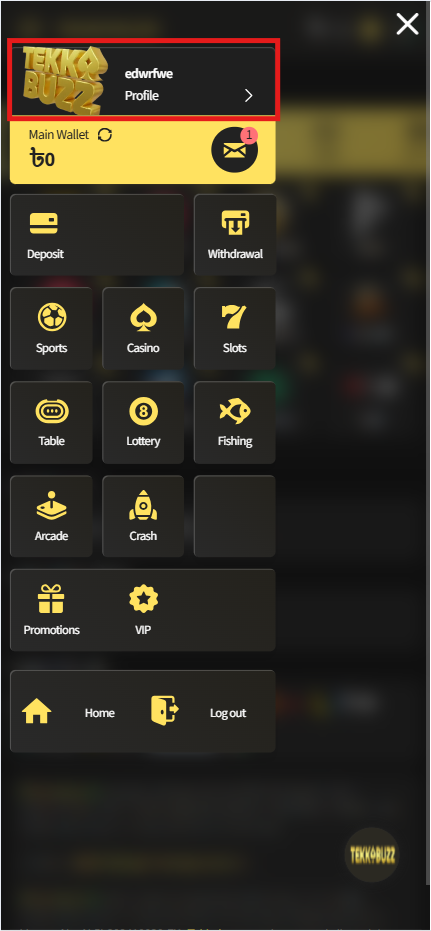
Step 1: Login to your Tekkabuzz account.

Step 2: Click ‘Profile’ and select ‘Login & Security‘.

Step 3: Enter your current password and then enter your new password. Click ‘Change password’.
 

11200cookie-checkHow can I change my account password?yes

Related Topics:

What is Tekkabuzz’s latest domain?
Can I place bets using my phone?
Does my registered name with Tekkabuzz have to be the same as the name on my identification document and account(s) used in depositing/withdrawing?
How to contact customer support?
Is an identity card number required upon registration?
How to change my email address/phone number?
Tekkabuzz Forum
How to download Tekkabuzz APP?
Can I use the Tekkabuzz APP/Mobile Site with my existing username and password?
Biometric Login (Fingerprint & Face ID)
Tekabuzz Logo

Tekkabuzz Casino brings you a safe and secure gaming experience every time you play. Our platform is designed for fairness, transparency, and responsible entertainment. Play with confidence and enjoy the thrill responsibly.

Payment Method

Bank Deposit Rupee-O bKash Rocket Pay34 Pay45 iPay okWallet SureCash Tap

Gaming License

Gaming Curacao License

Responsible Gaming:

18+ GamCare Responsible Gambling

Information Links:

Terms & ConditionsPrivacy PolicyRules and RegulationsResponsible GamingKYC